
Ultima terminals, wired into your HRIS.
Your people clock in on a ZKTeco Ultima terminal. Illizeo rebuilds the day, raises the alerts, feeds the counters and produces the payroll export. One chain, from the badge to the payslip.
Four terminals, one range
The Ultima series covers the office, the workshop and the site. All run on Android, with the same identification modes and the same feed into Illizeo.
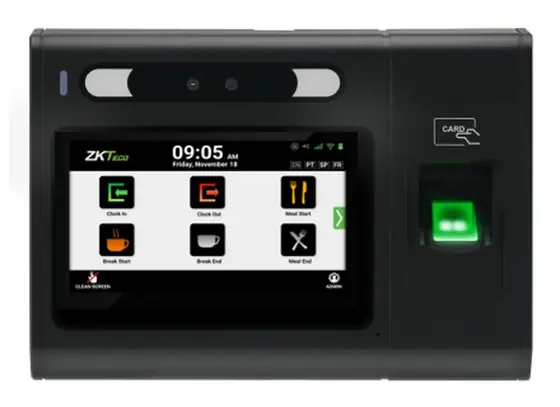
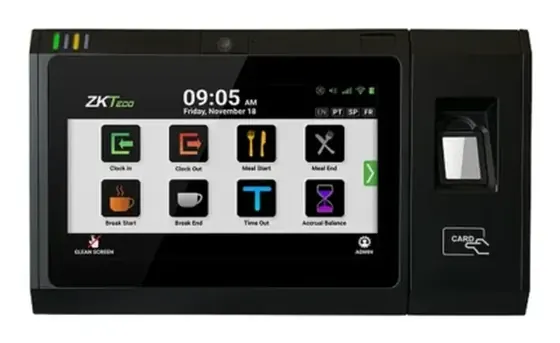
Ultima 7
7-inch 1024×600 screen. The reference model, built for a reception desk or a workshop with steady traffic.
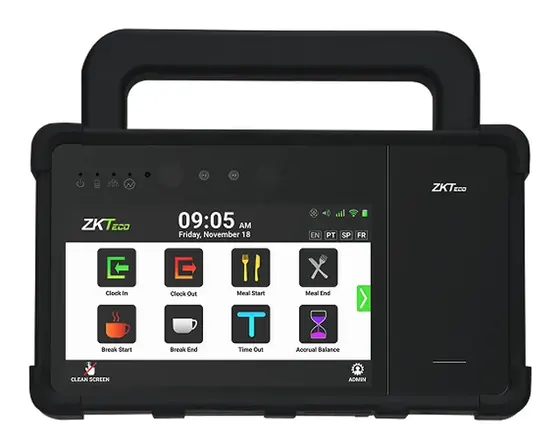
Ultima 7P
7-inch screen in a portable version, with a handle and a battery. For construction sites and locations without a fixed post.
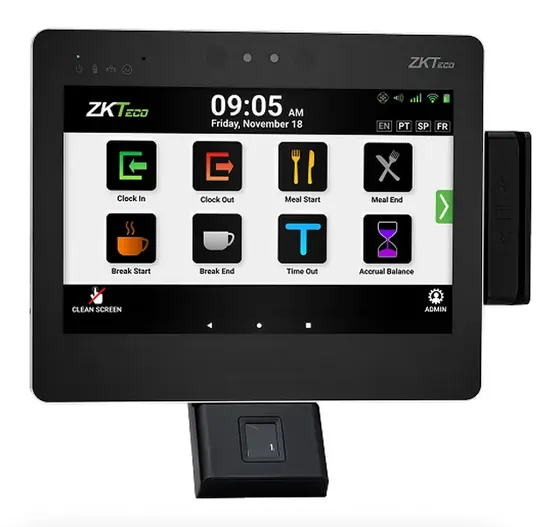
Six ways to clock in
Ultima terminals recognise six modes. You switch on the ones that suit your organisation, and you can combine several on the same site.
Facial recognition
Palm recognition
RFID badge
NFC badge
QR code
Visible and infrared recognition
The recognition modules combine visible light and infrared, which makes them usable in variable lighting conditions.
Contactless where it matters
Face, palm, badge and QR allow contactless clocking — useful in food processing, in healthcare and anywhere hands are gloved.
The legal framework, stated plainly
Fingerprint, face and palm are biometric data. Using them in the workplace requires an impact assessment and a solid legal basis, in Switzerland as in the EU. Badges and QR codes carry no such constraints. Facial recognition is the most exposed of the three: in France, the CNIL’s standard regulation covers biometrics for access control, not for time tracking. Compare the six methods and their legal framework.
What a clock-in triggers in Illizeo
A terminal on its own produces timestamps. What matters is what comes next — and that is where Illizeo takes over.
The day is rebuilt
Clock-ins, clock-outs, breaks, meals and on-call periods are attached to the employee’s attendance profile, with their weekly schedule and any multi-week rotations.
Eleven alerts raise themselves
Unjustified day, daily limit exceeded, insufficient rest, overtime, half-day not covered, conflict with an absence, public holiday or rest day worked, missing break — the discrepancy is flagged without anyone having to look for it.
The counters fill up
Overtime, night, Saturday, Sunday, public holiday and on-call feed separate counters, in hours or in periods, with the calculated, adjusted, paid, converted and balance values.
Pay out or convert, under control
Every operation — recalculate, adjust, pay out, convert into leave days — goes through an approval circuit, stays reversible, and locks at payroll closing.
Payroll picks up the result
Attendance data and payroll data export separately, with a preview before generation. You check before you send.
Nothing is lost
Imports are logged and reversible, and attendance profiles are versioned with an effective date. You always know which rule applied last month.
At the terminal, eight actions and nothing else
The home screen stays deliberately simple: clock in, clock out, meal start and end, break start and end, exit, balance lookup. Interface available in French, English, German, Italian, Spanish and Portuguese.
Let’s talk about your site
The right terminal depends on your flows, your hygiene constraints and what you are allowed to collect. We look at all three together before proposing anything.
